On-Device Translation
Every sentence is translated by Chrome's built-in Translator API running locally on your machine. Translation happens in your browser, keeping page content off external translation services.
A free Chrome AI translation extension powered by Chrome's built-in Translator API.
Translation runs entirely on your device. Your page content never leaves your browser.
Free translation · No account required · 35+ languages
Features
Built for developers, researchers, and anyone who reads the web in a second language.
Every sentence is translated by Chrome's built-in Translator API running locally on your machine. Translation happens in your browser, keeping page content off external translation services.
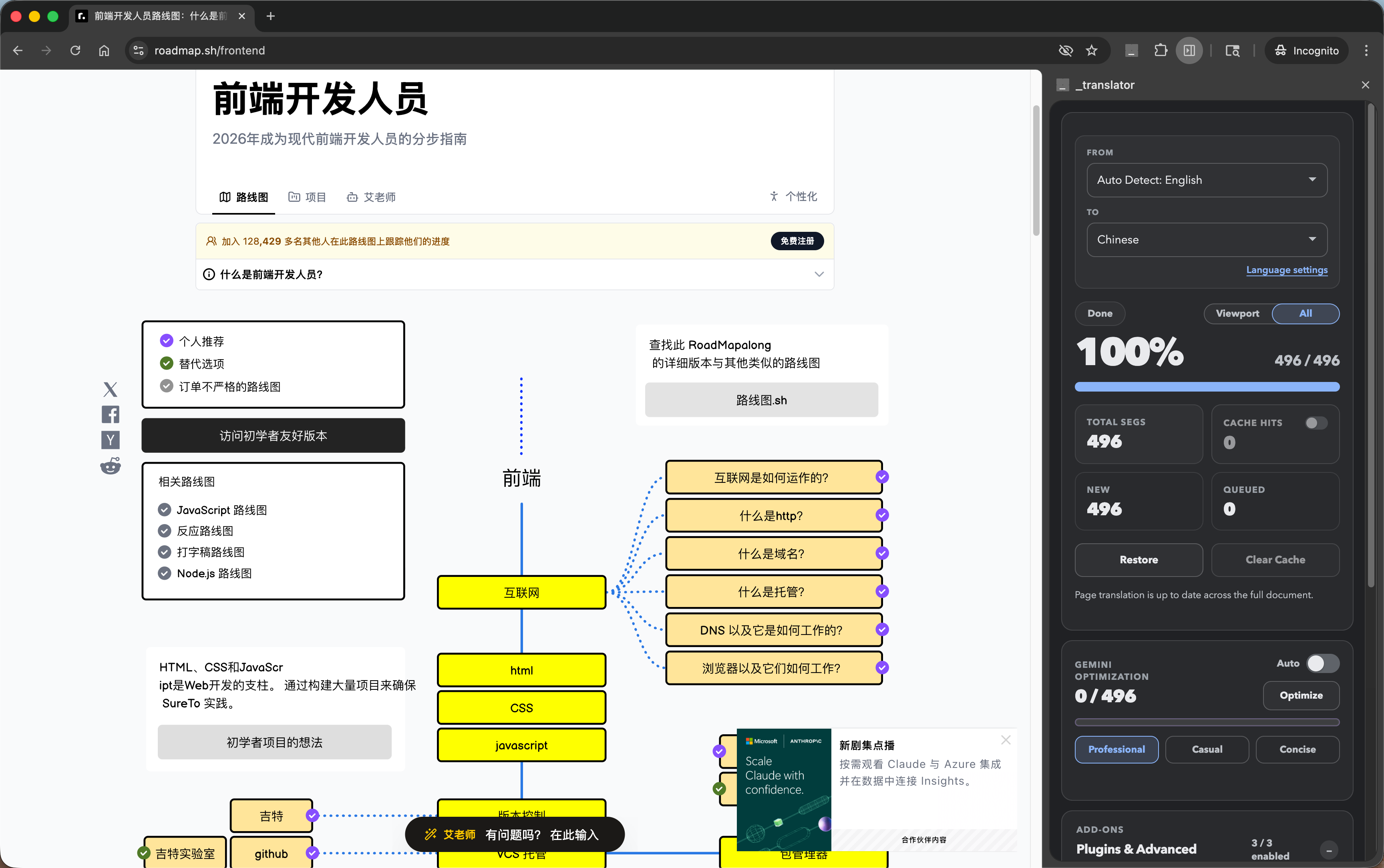
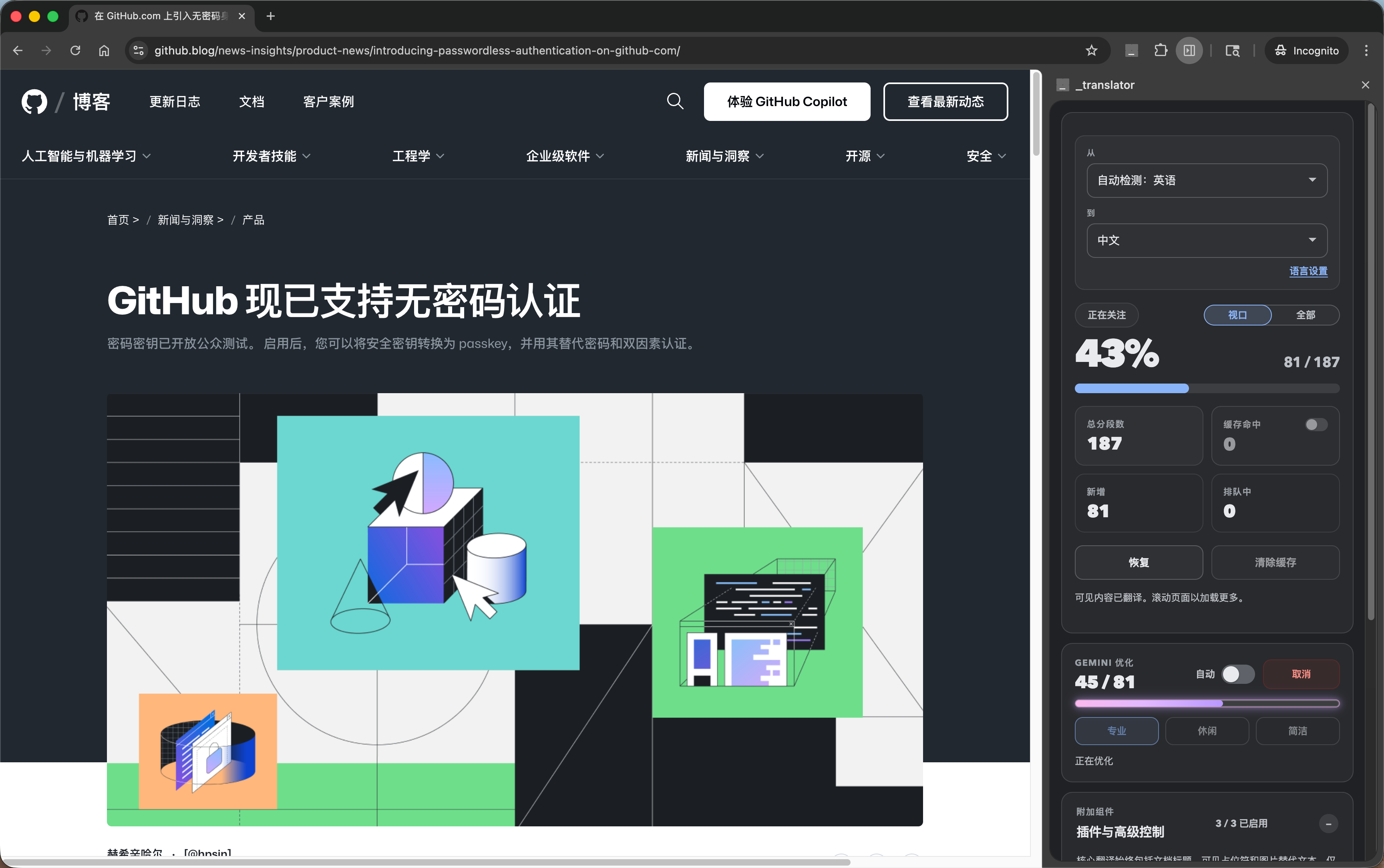
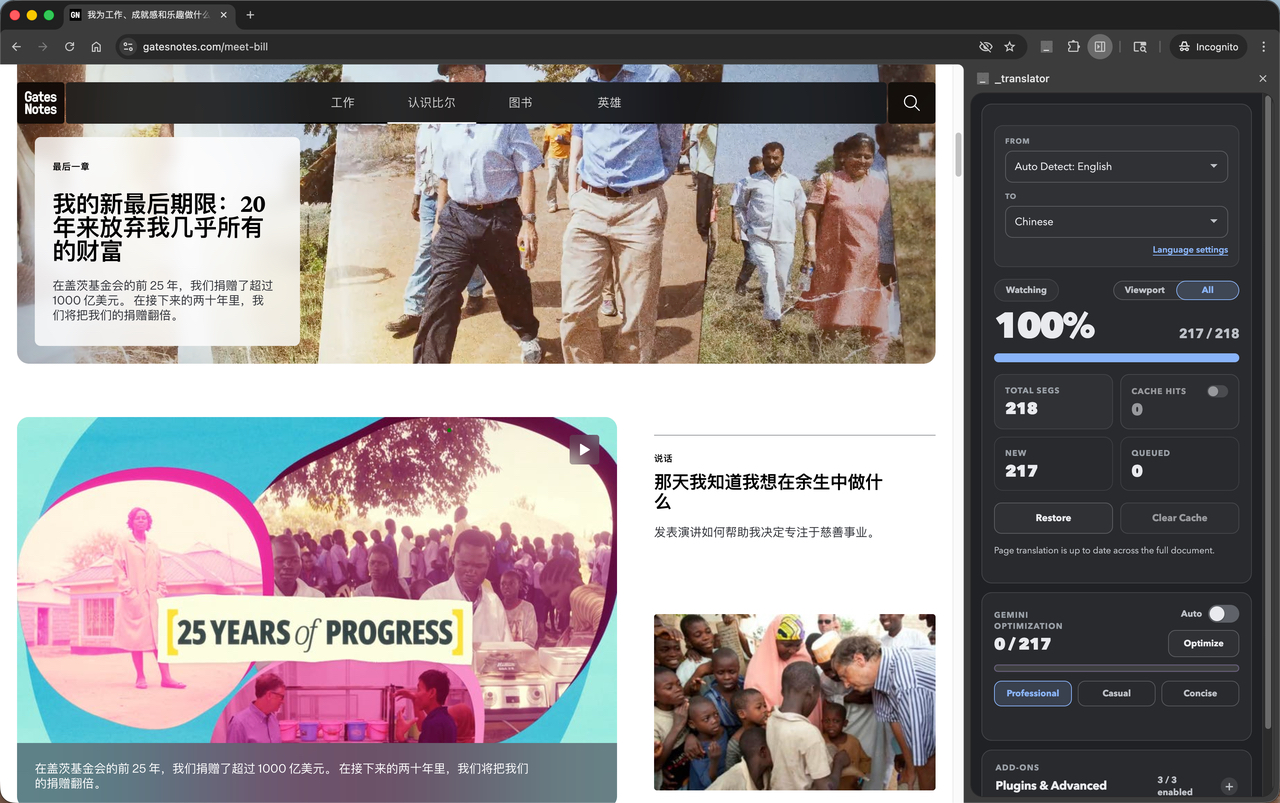
Watch translation progress live with a precise percentage counter and segment-by-segment breakdown. Switch between Viewport (fast) and All (full page) modes on the fly.
Translations are stored in IndexedDB and reused instantly on return visits. Repeated content like navigation menus and footers is translated once and loaded from cache — zero extra API calls.
Post-process translations with Chrome's Prompt API. Choose from Professional, Casual, or Concise styles. Optimized text is saved back to cache for instant reuse.
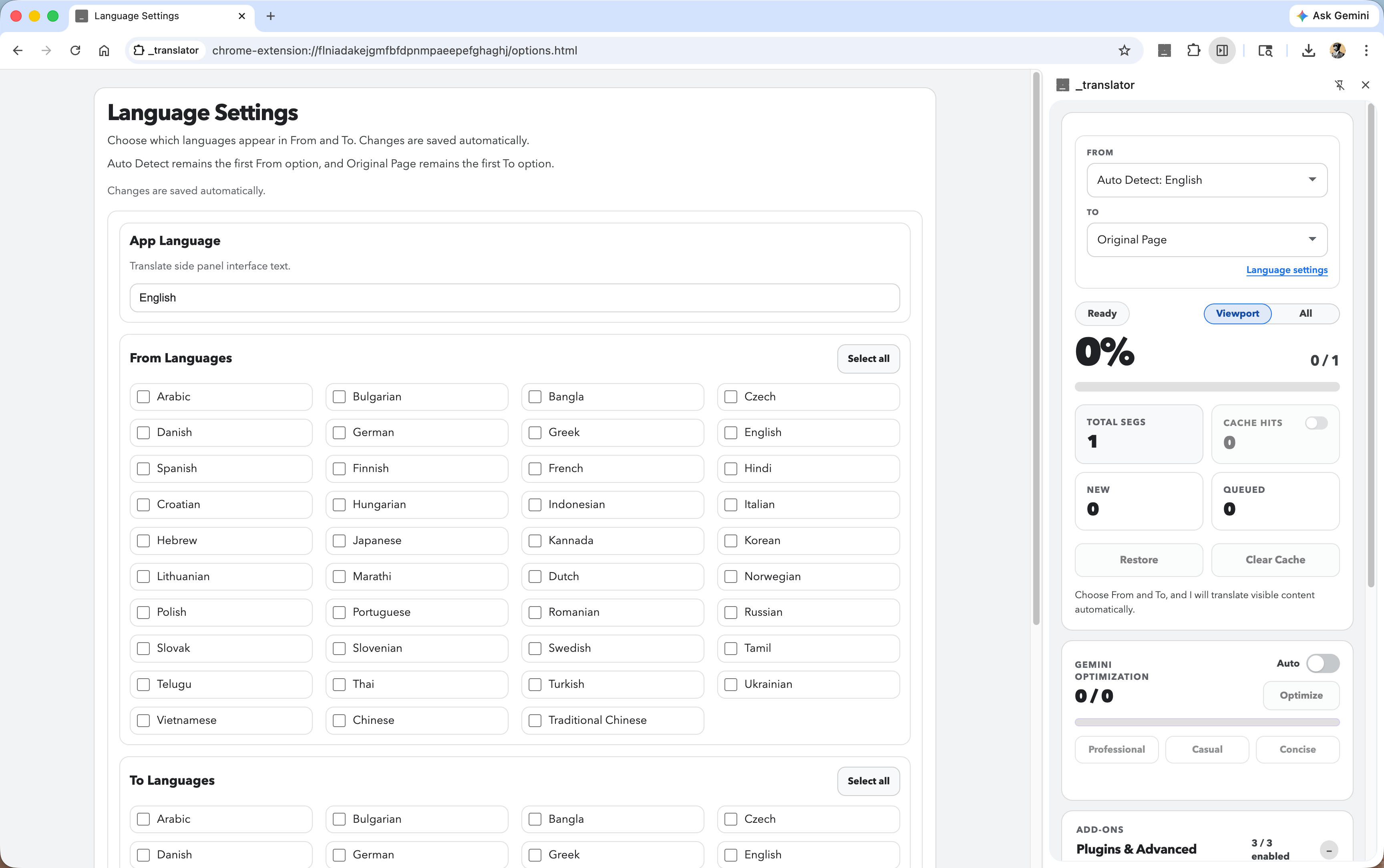
Arabic, Chinese, French, German, Hindi, Japanese, Korean, Portuguese, Russian, Spanish, and many more. Customize exactly which languages appear in the From and To dropdowns.
Extend translation with optional plugins: hover preview for glossary terms, search bridge for re-translating queries, and a custom glossary layer with Aho-Corasick term matching.
How It Works
Add offline.translator to Chrome in one click. No account. No signup. No permissions beyond what's needed.
Click the extension icon to open the side panel. Select your target language from the To dropdown — that's it.
Translation starts immediately and runs in the background. Watch the live progress bar. Scroll to translate new content on demand — it translates automatically as you browse.
Visual Demo
Real screenshots. Real pages. Real translations — all on-device.
Who uses it
Read foreign-language docs, Stack Overflow threads, and technical blogs without copy-pasting into a translation service. Sensitive code and internal docs stay off external servers.
Translate entire research papers, articles, and academic sources without leaving the page. The glossary layer ensures domain-specific terms are translated consistently.
Browse international news, social media, and personal communications without sending your reading habits or private content to third-party translation APIs.
Review competitor sites, partner documentation, or customer-facing content from any language without setting up a separate translation workflow.
Why offline.translator
| Feature | offline.translator | Cloud translators | Built-in browser translate |
|---|---|---|---|
| On-device translation | ✓ | ✗ | ✗ |
| Translation cache | ✓ | Partial | ✗ |
| AI style optimization | ✓ | Paid tiers | ✗ |
| Custom glossary | ✓ Coming soon |
Paid tiers | ✗ |
| Viewport / full-page toggle | ✓ | Full page only | Full page only |
| Free translation | ✓ | Varies | ✓ |
Get started
Free. Built-in. Private. No account, no API key — just install and translate any page.
Requires Chrome 138 or newer on desktop
FAQ