Developers
Read foreign-language docs, Stack Overflow threads, and technical blogs without copy-pasting into a translation service. Sensitive code and internal docs stay off external servers.
A free Chrome translation extension built around on-device AI.
Translation runs in your browser. Page text stays in Chrome during translation.
No account required · No data collection · 35+ languages
How It Works
Add offline.translator to Chrome in one click. No account. No signup. No permissions beyond what's needed.
Click the extension icon to open the side panel. Select your target language from the To dropdown — that's it.
Translation starts immediately and runs in the background. Watch the live progress bar. Scroll to lazily translate new content as you go.
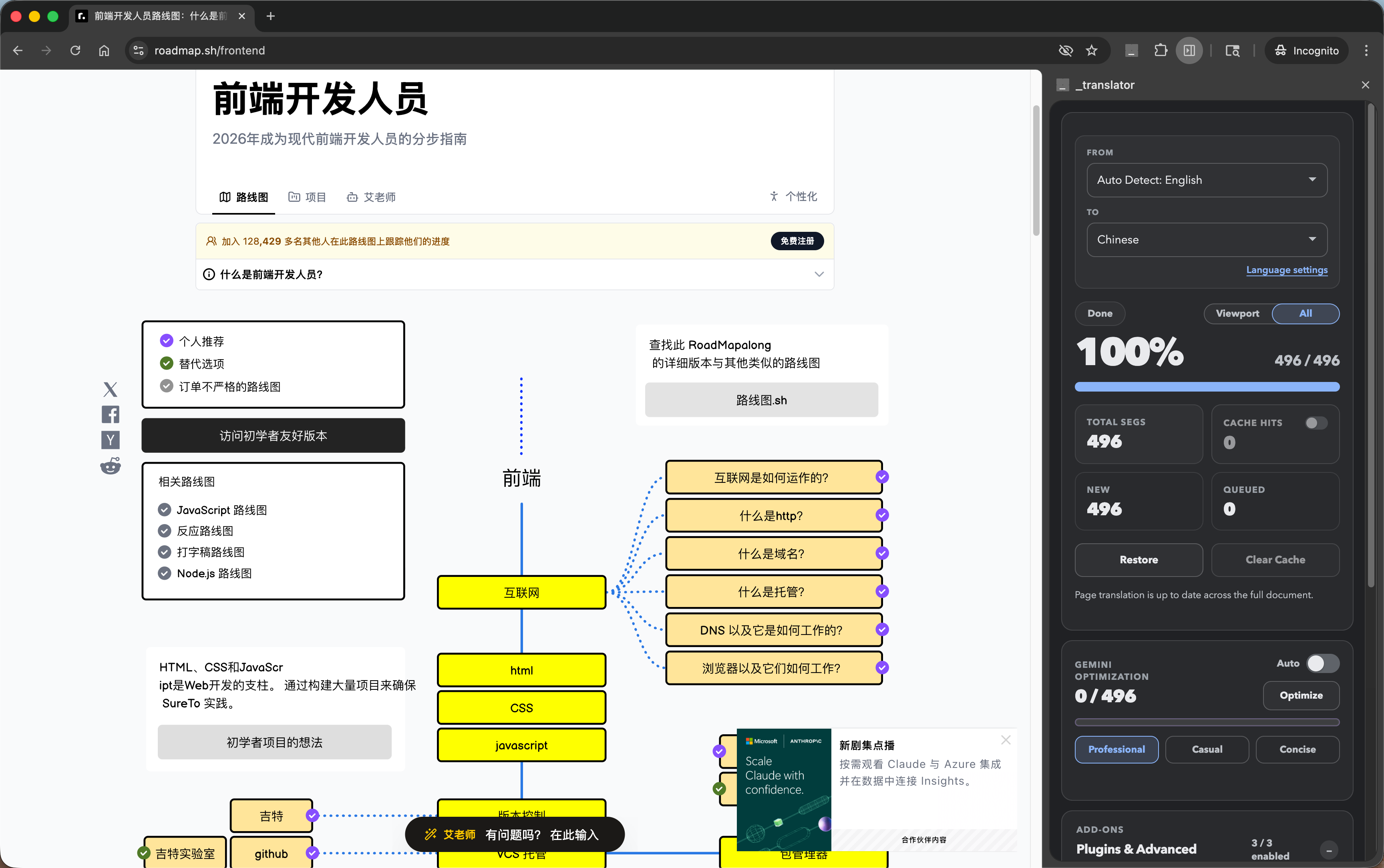
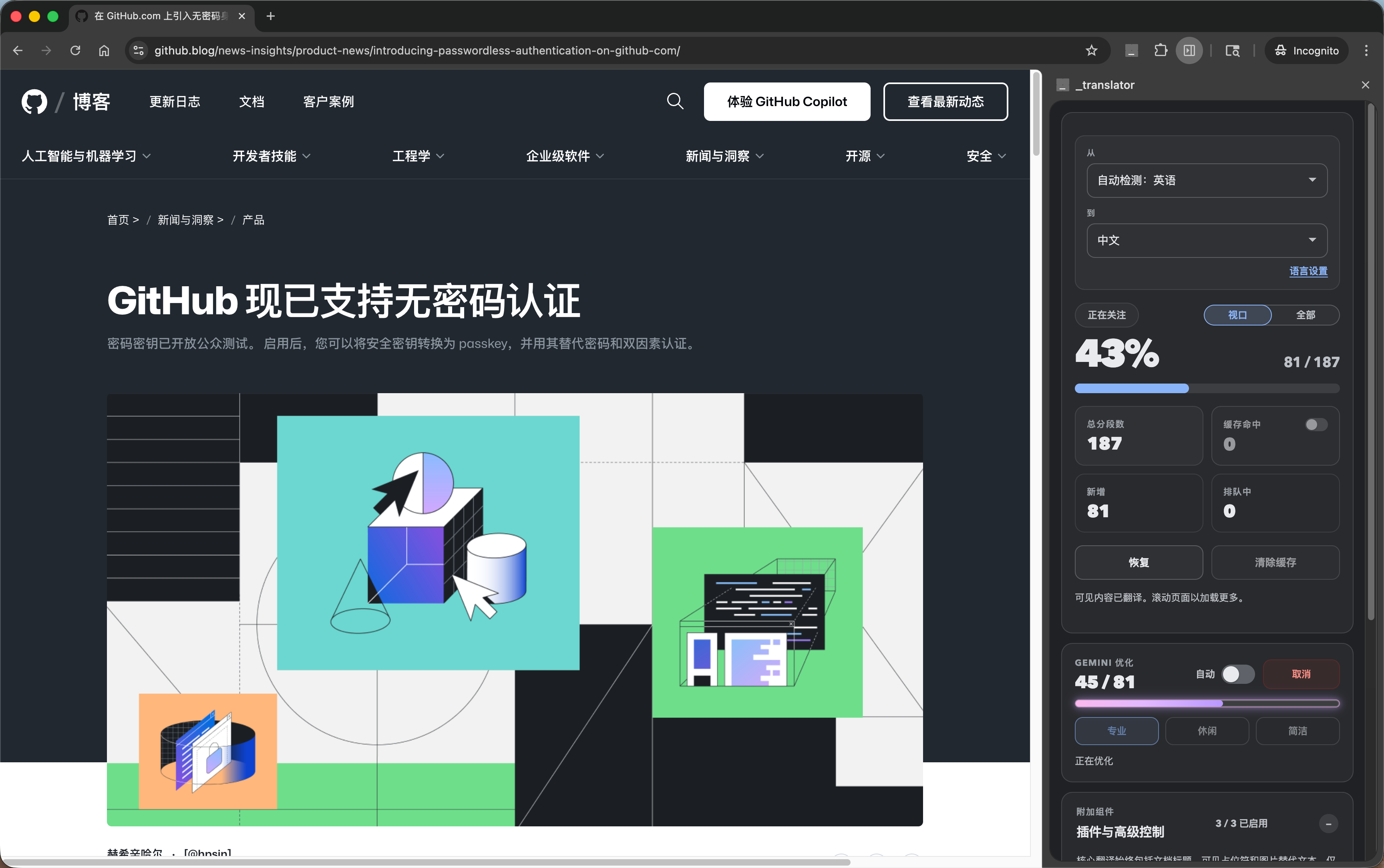
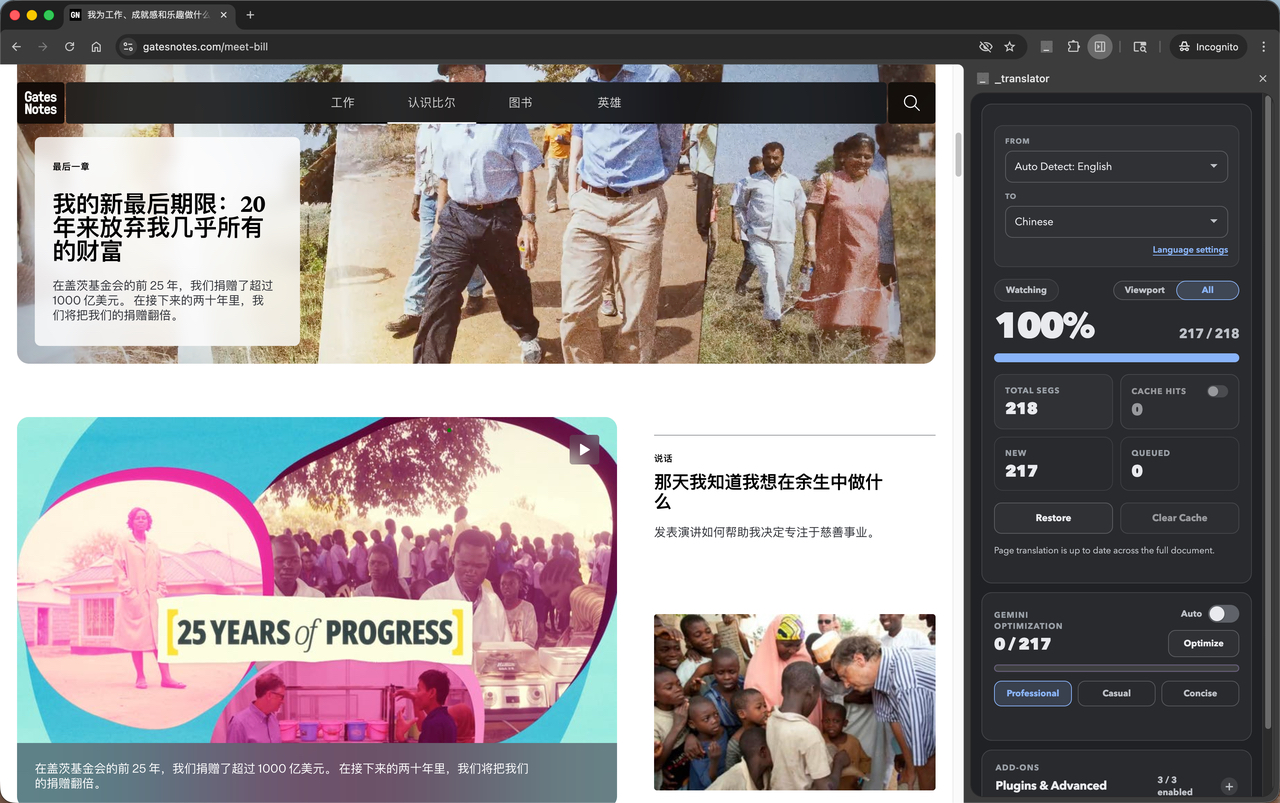
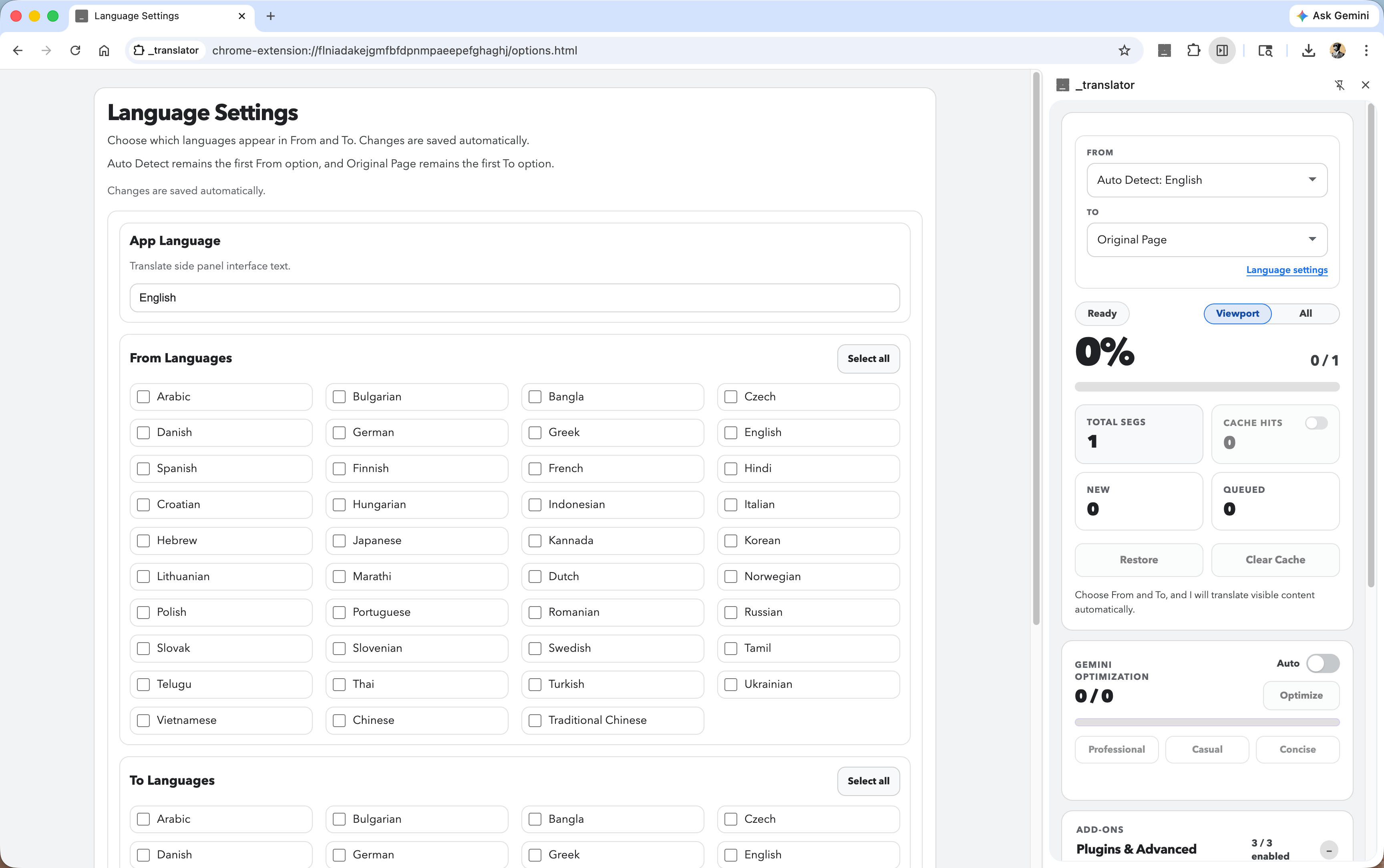
Visual Demo
Real screenshots. Real pages. Real translations — all on-device.
Who uses it
Read foreign-language docs, Stack Overflow threads, and technical blogs without copy-pasting into a translation service. Sensitive code and internal docs stay off external servers.
Translate entire research papers, articles, and academic sources without leaving the page. The glossary layer ensures domain-specific terms are translated consistently.
Browse international news, social media, and personal communications without sending your reading habits or private content to third-party translation APIs.
Review competitor sites, partner documentation, or customer-facing content from any language without spinning up a separate translation workflow.
Why offline.translator
| Feature | offline.translator | Cloud translators | Built-in browser translate |
|---|---|---|---|
| On-device translation | ✓ | ✗ | ✗ |
| Translation cache | ✓ | Partial | ✗ |
| AI style optimization | ✓ | Paid tiers | ✗ |
| Custom glossary | ✓ जल्द आ रहा है |
Paid tiers | ✗ |
| Viewport / full-page toggle | ✓ | Full page only | Full page only |
| No sign-up required | ✓ | Varies | ✓ |
Get started
Free. Private. Instant. No account. No API key. Just install and translate.
Requires Chrome 138 or newer on desktop
FAQ